
Kiim_Chiii
starstarstarstarstar
July 30, 2026
Very fun, easy to customize!

 Stan_Woods
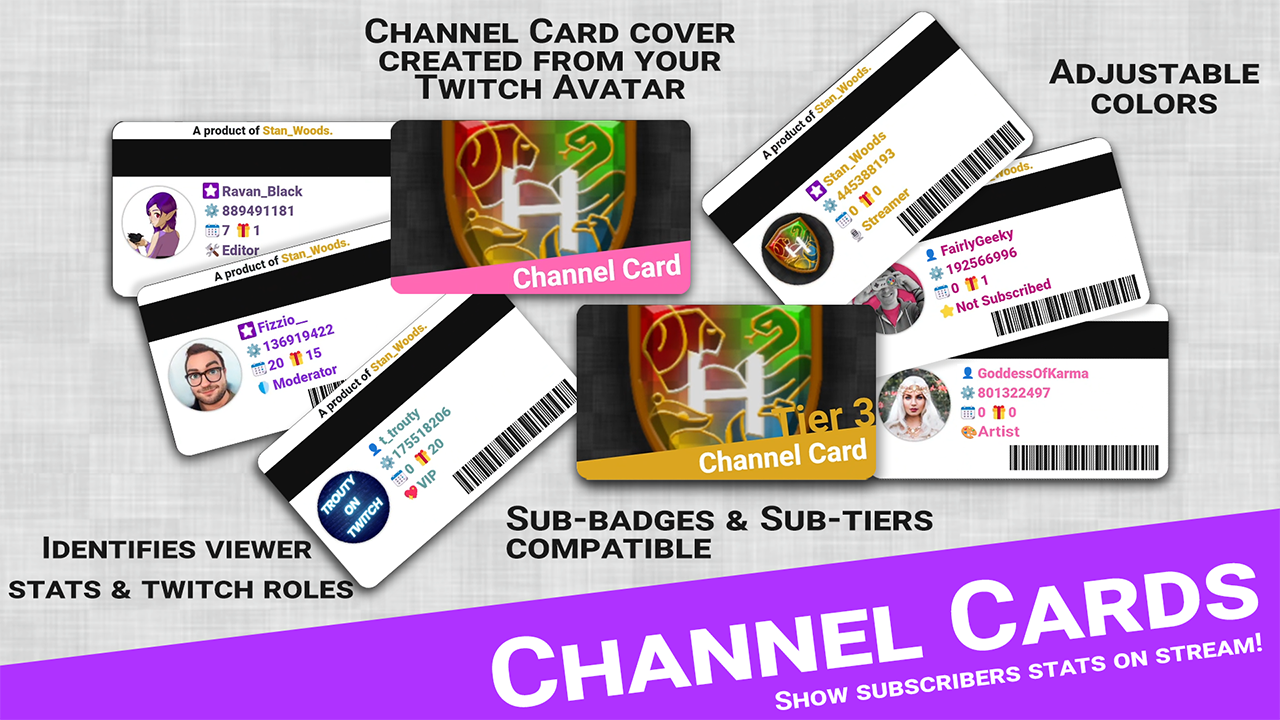
 Introducing "Channel Cards" for the entire community! Show subscriber info on stream stating the users' name, avatar, ID, month-streak, total sub-time and total subs given on the channel. Channel Card covers are created from the Streamers' Avatar. Importing this command as an Action Group, and adding it to different events like new subscribers, gifted subs or a seperate command, will allow you to show everyone's Channel Card on stream. This idea was suggested in the Community Commands on MixItUp's Discord. I hope everyone will have some fun with this. <3 __________________________________________________________ Installment: 1) Import this as an Action Group. | Base install done. 2) Add Action Group to events/commands. | Install done. __________________________________________________________ Couple of notes: - This command is build for the Stable version of MixItUp. - Changing your avatar on Twitch will also update the Channel Card cover. - For color settings, you are able to use hexcodes, MixItUp Special Identifiers (that return a color code) and regular words like: red, blue, yellow, green, cyan, purple etc. - Reach out to me on the Discord if you have suggestions for the command. I'd be happy to fix whatever's not working correctly. - Please leave a rating! <3 __________________________________________________________ Changelog: 06/12 | Thanks to the community and devs: Fixed allignment issue for Preview Program users. 05/10 | Fixed username allignment issue & Fixed subbadge not displaying in certain situations. 05/08 | Added Twitch Roles and overrides subscription status. 05/08 | Fixed empty conditional error. Added total subs gifted stat. 05/06 | Command uploaded to Community Tab.
Kiim_Chiii
Very fun, easy to customize!

GawdDammitLolli
This is so neat! Would love to see an added feature of using this as viewers use a channel point reward to check in with the card including the amount of times they have checked in!

ElusiveNerd
Really love the idea but for myself when someone does the command it says they are not subbed even when they are

CultOfTheDucks
I need help with this. It looks like it's probably great! But I tried adding Stan Woods to Discord and can't.. I mean, why even say add you if it doesn't work. And I have no idea how to execute the command if that's what this is. No other or further instruction as in how to work this thing.. Can someone please help?

VerdeElena
Super easy to set up and customize!

HelloHelu
If I could give it 10 stars, I would! This is such an awesome feature for streamers!!

GrumPaddy
Cool Idea, works like a charm

BeyondMom
This command is so cool! It's something I wouldn't have thought of by myself, and it makes things so easy.

thatonemusickid
Excellent functionality, would love to see a version for raiders!

smashpanda_
what amazing job stan im verry happy with it!

ToffeeSwirl
Easy to setup and looks amazing! Love it! <3

Zibarian_n
works well and is very cool idea thta i wanted but dont have the coding knowledge to work out.

GripsChan
I have never reviewed a community command before and I am happy that this is my first! Super fun and amazing to see, I can't wait to share this with my chat! I think they are going to love it

imbon3s
Absolutely LOVE this! It took a minute to figure out how to do the overlay but he actually explained it and it was so simple to use!!!

ibCheechy
Really cool! Can really customize it if you know a bit of html and css

thaGreatMartini
5 Star, amazing iv added a question in the MIU discord, amazing

RearSilver
5*, flawless, greater than great!

Mr_Patchiie
absolutley will give 5 stars to this amazing little command thank you for this easy to set up too

t_trouty
Stan never dissapoints! Another awesome command!